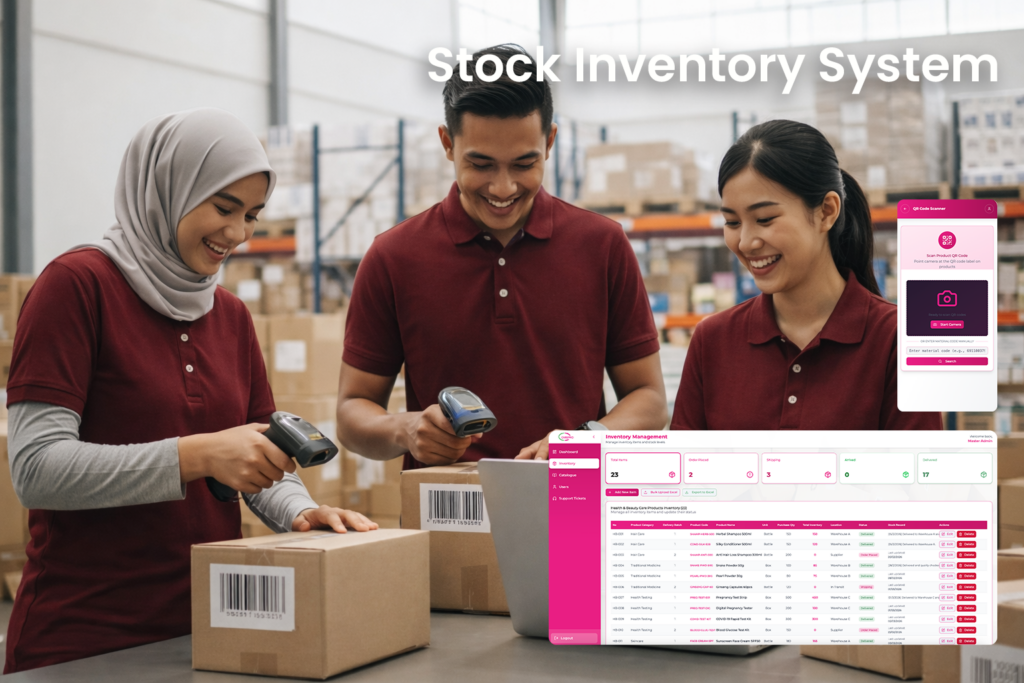
Inventory Management System
The Inventory Management System is a cloud-based solution designed to help businesses efficiently manage product inventory, catalogue information, stock movements, and internal support requests. With a clean and modern interface, the system simplifies inventory tracking while improving operational efficiency and visibility across departments.
The system enables organizations to monitor stock levels, manage product catalogues, track deliveries, and resolve operational issues through an integrated support ticket system. It ensures accurate inventory records, streamlined workflows, and better decision-making through real-time data.
Project Details
Centralized Inventory Data
The system centralizes all inventory information including product details, stock quantities, locations, delivery status, and supplier data. This consolidated platform ensures businesses always have accurate and up-to-date stock information.
Efficient Stock Monitoring
Users can monitor inventory status across multiple stages such as Order Placed, Shipping, Arrived, and Delivered. This helps organizations track product movement throughout the supply chain.
Product Catalogue Management
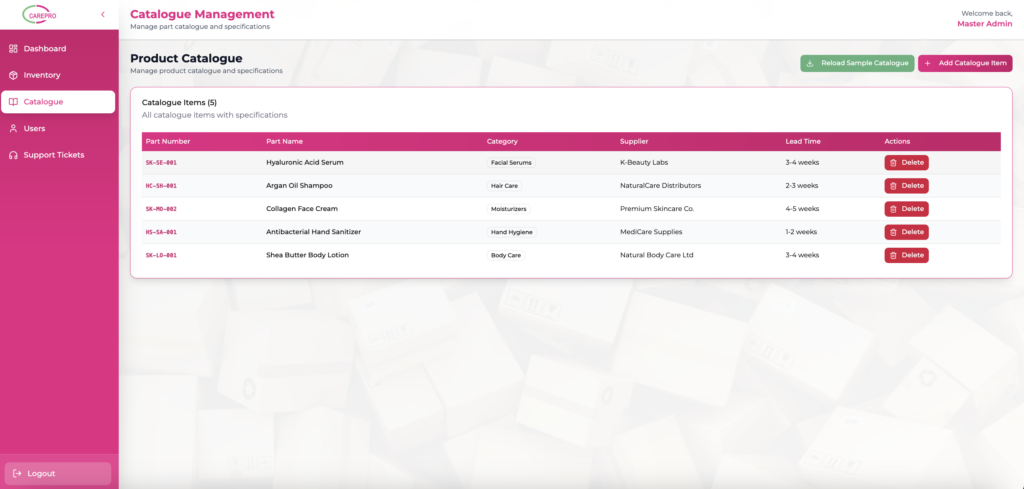
The system includes a catalogue management module where product specifications, categories, suppliers, and lead times can be organized and maintained. This provides a structured reference for all inventory items.
QR Code Inventory Tracking
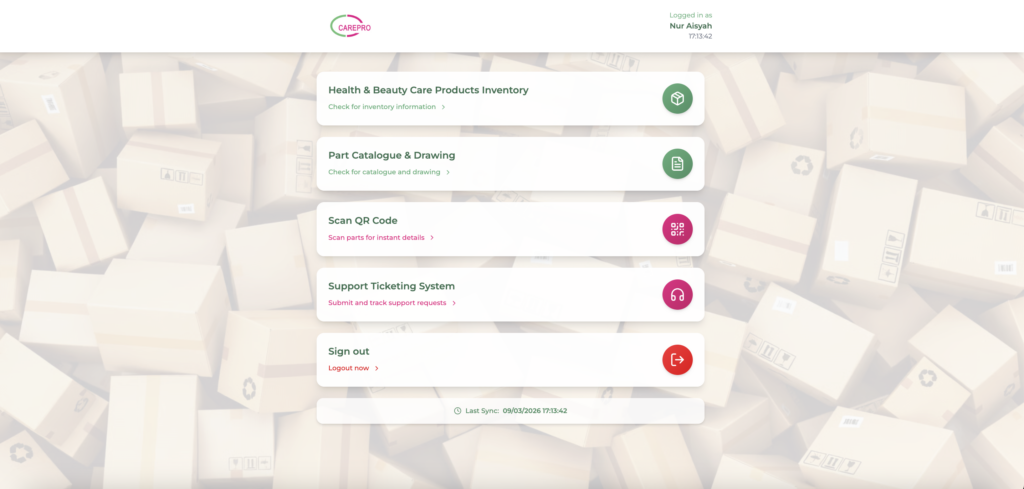
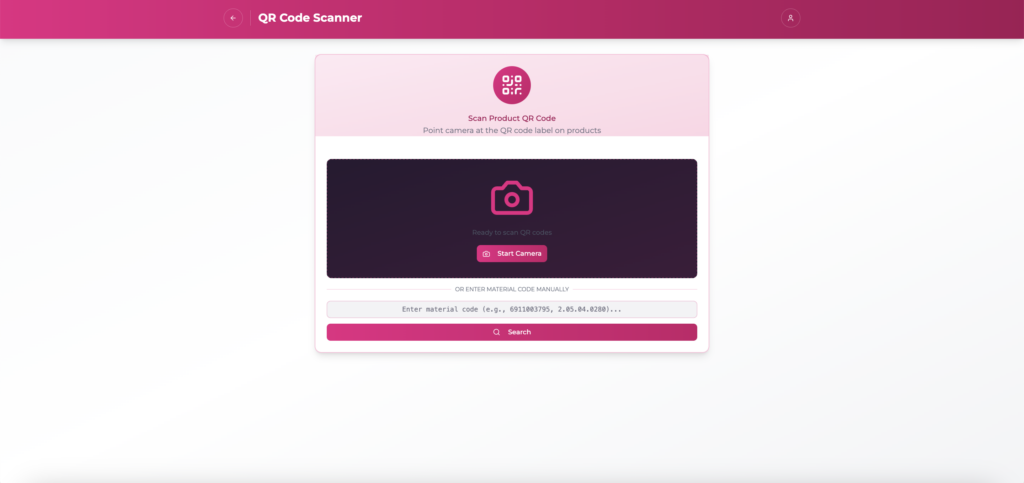
With integrated QR code scanning functionality, users can instantly retrieve product information by scanning product labels. This improves efficiency in warehouse operations and reduces manual errors.
Support Ticket System
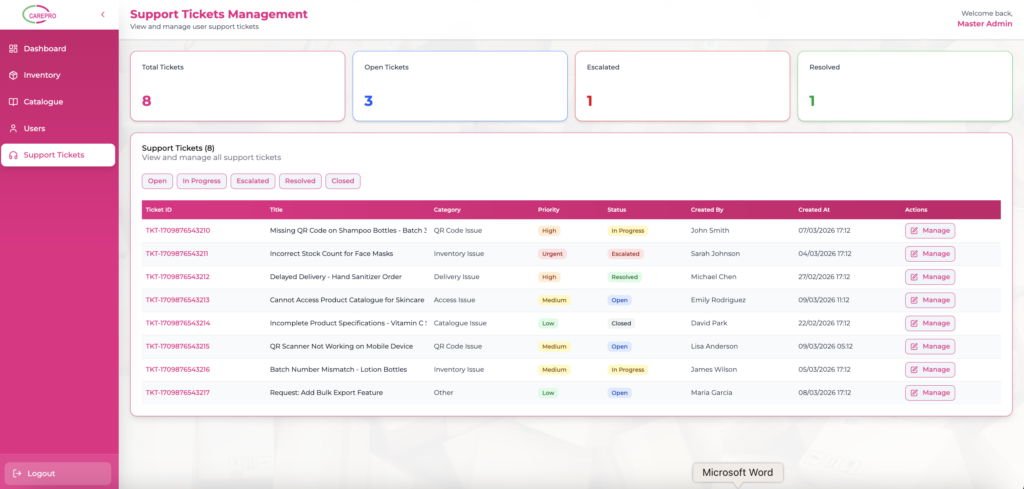
The built-in support ticket system allows users to report issues, request assistance, and track problem resolution. Administrators can monitor ticket priority levels and manage requests efficiently.
Real-Time Inventory Insights
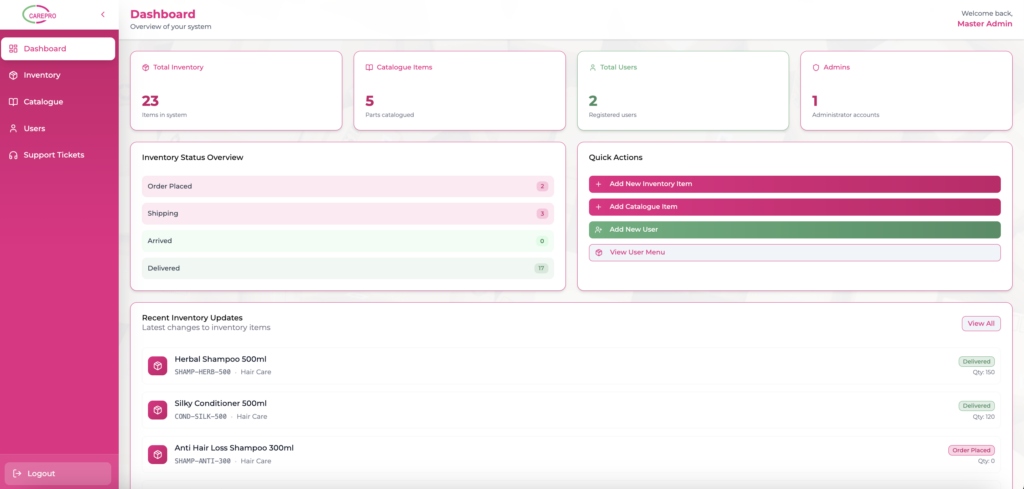
Through dashboard analytics, users can quickly view key metrics such as total inventory items, catalogue entries, users, and administrators. This helps management gain quick insights into system activity.
Improved Operational Collaboration
The system connects warehouse teams, administrators, and operational staff within a single platform. This improves communication and ensures everyone has access to the same inventory data.
Main Features
Dashboard
The dashboard provides a comprehensive overview of the system, displaying total inventory items, catalogue entries, user accounts, and administrators. It also highlights recent inventory updates and stock status summaries.
Inventory Management
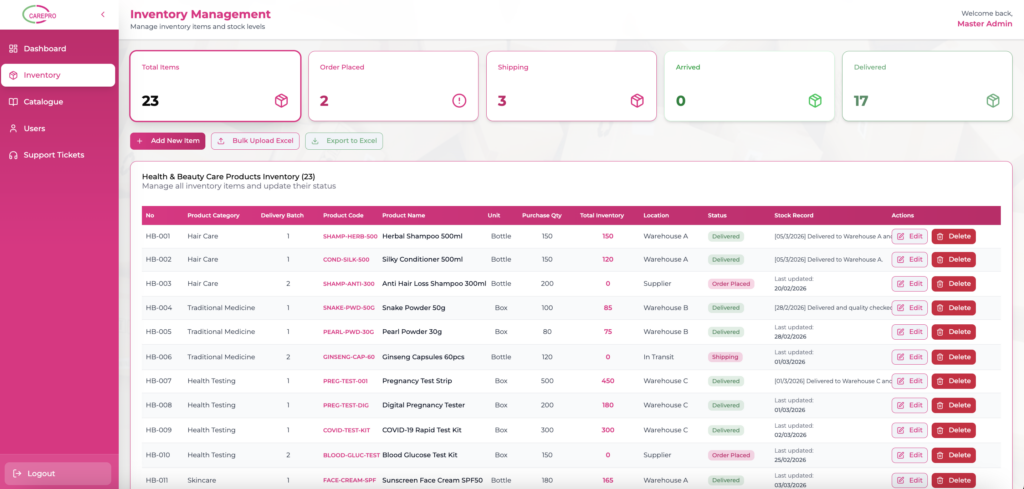
Easily manage inventory items including product category, product code, batch numbers, quantity, and warehouse location. Administrators can update item status, edit product information, or remove records when necessary.
Inventory Status Tracking
Track the movement of inventory items through different stages including:
- Order Placed
- Shipping
- Arrived
- Delivered
This tracking provides clear visibility into the supply chain and stock flow.
Bulk Inventory Upload
The system supports bulk uploading of inventory data via Excel files, enabling faster data entry for large product inventories.
Inventory Export
Users can export inventory records into Excel for reporting, auditing, and offline analysis.
Product Catalogue Management
Manage catalogue items with structured product details including:
- Part number
- Product name
- Category
- Supplier
- Lead time
This ensures standardized product information across the organization.
User Management
Administrators can create and manage system users, assign roles, and monitor system access.
QR Code Scanner
The QR code scanner allows users to scan product labels using a device camera. Once scanned, the system instantly retrieves product details for quick verification and inventory lookup.
Support Ticket System
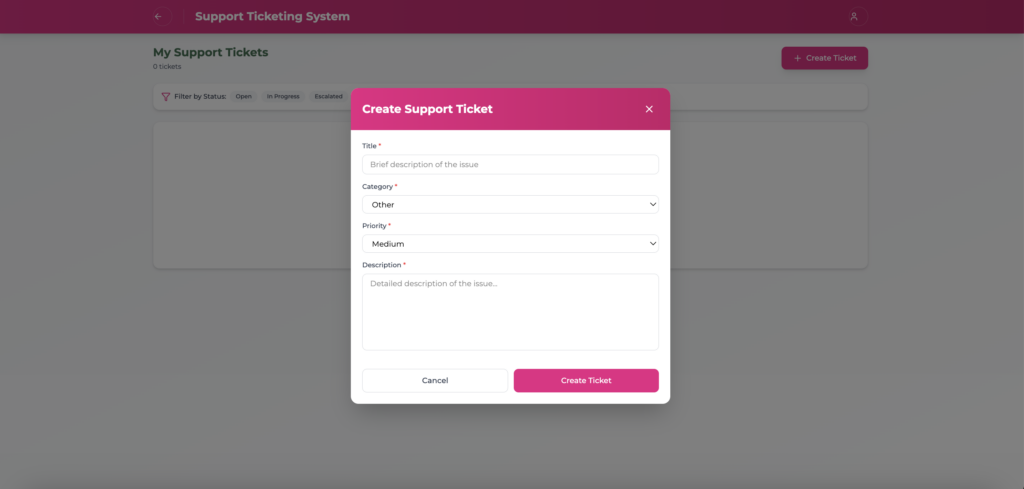
Users can submit support tickets when encountering issues related to inventory or system usage. Tickets include:
- Title
- Category
- Priority level
- Detailed description
Administrators can track ticket status including Open, In Progress, Escalated, Resolved, or Closed.
Ticket Management
The system provides a structured interface for administrators to manage support tickets, assign priorities, and ensure timely resolution.
Activity Monitoring
Recent inventory updates are displayed on the dashboard, allowing administrators to track stock changes and delivery updates.
Role-Based Access Control
Different user roles such as administrators and standard users can access specific system features based on assigned permissions.
Responsive Interface
The system features a responsive design that works smoothly across desktops, tablets, and mobile devices.